
White Label WhatsApp API: How to Add WhatsApp to Your SaaS as a WasenderAPI Partner
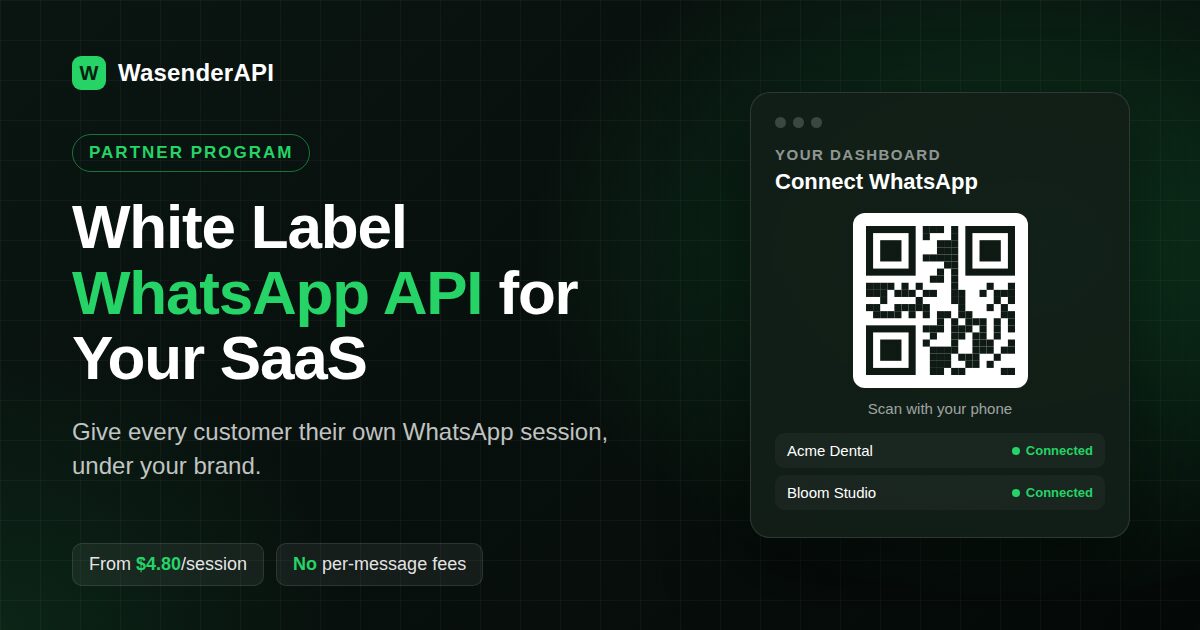
White Label WhatsApp API: How to Add WhatsApp to Your SaaS as a WasenderAPI Partner
Your customers already use WhatsApp. Sooner or later they may ask: "Can your platform send and receive WhatsApp messages?" If you run a CRM, a booking tool, a POS system, a helpdesk or a marketing platform, a white label WhatsApp API can be one way to add WhatsApp to your product without building the messaging infrastructure yourself.
This guide explains what a white label WhatsApp API is, how the WasenderAPI Partner Program works, what it costs, how the integration looks in code, and what to consider before deciding whether this approach is appropriate for your platform.
Quick summary: WasenderAPI partners pay a flat $6/month base fee plus $6.00 per active WhatsApp session per month, dropping to $4.80 per session once you pass 100 active sessions. There are no per-message fees, and the Partner Program is designed to let you provide the WhatsApp experience through your own product. WasenderAPI is an independent, unofficial WhatsApp integration and is not Meta's official WhatsApp Business Platform. The program is invite only, so you can apply here.
What is a white label WhatsApp API?
A white label WhatsApp API is a messaging backend you embed inside your own product and offer as part of your own software experience. Your users connect their WhatsApp number from your dashboard, send messages from your interface and manage the feature through your product.
It is different from simply reselling a WhatsApp tool. With a reseller panel, your customers usually log into someone else's product with your logo on it. With an API-level white label integration, you own the UI, onboarding, pricing and customer relationship, while the API provider supplies the underlying infrastructure.
Who uses a white label WhatsApp API?
- SaaS platforms that want WhatsApp as a native feature instead of an integration their customers have to set up elsewhere.
- CRMs and ERPs that need two-way conversations logged against contacts and deals.
- POS and booking systems sending receipts, order updates and appointment reminders.
- Customer support tools adding WhatsApp as an inbox channel.
- Automation platforms such as n8n or Zapier-style builders exposing WhatsApp as a workflow step.
- Marketing agencies managing WhatsApp for multiple client brands, subject to applicable WhatsApp policies and customer consent requirements.
Why become a WasenderAPI partner?
The WasenderAPI Partner Program is designed for platforms that manage multiple WhatsApp numbers on behalf of their own customers. It provides a multi-tenant setup where each customer can have an independent session created and managed through the API.
API-first integration
Features are exposed through the REST API. You can create sessions, fetch QR codes, send messages, manage contacts and groups and receive events programmatically, allowing WhatsApp functionality to be integrated into your existing backend and automation pipelines. The full reference is available in the API documentation.
White label at the API level
Your end users interact with your product interface. They can scan a QR code inside your dashboard rather than being redirected to a separate WasenderAPI dashboard. However, your own product should clearly explain that the underlying integration is an independent, unofficial WhatsApp integration and is not Meta's official WhatsApp Business Platform.
Flexible session-based scaling
The Partner Program does not impose a fixed session limit in its standard pricing model, and there are no per-message fees. Actual usage remains subject to service availability, technical limitations, the Partner Program terms and any applicable WhatsApp restrictions or policies.
Webhook-driven and real time
Inbound messages, delivery status updates and connection events can be delivered to your webhook, allowing you to build inboxes, automations and notifications around live session data.
Independent sessions
Each customer can run in its own session with its own API key. Separating sessions can make tenant management and access control easier when your platform serves multiple customers.
Cloud-managed connectivity
Sessions are managed through the API infrastructure, allowing your application to interact with a connected session without requiring users to keep your application itself running. Availability can still depend on the session state, service availability and WhatsApp-side restrictions.
How much does the WasenderAPI Partner Program cost?
Partner pricing is based on active WhatsApp sessions rather than message volume. You pay for the sessions you use and there are no per-message fees.
| Item | Price |
|---|---|
| Partner base fee | $6 per month (flat) |
| Under 100 active sessions | $6.00 per session per month |
| 100+ active sessions | $4.80 per session per month (20% off) |
| Per-message fees | None |
How billing works
- Credit balance: you top up a credit balance and session costs are drawn from it.
- Prorated new sessions: a session created mid-month is only charged for the remaining part of the month.
- Refund on delete: when you delete a session, the unused amount goes back to your balance.
This makes it possible to align your infrastructure costs with the customers who actively use the WhatsApp feature. Your own billing, pricing and customer terms remain your responsibility.
Example monthly costs
| Active sessions | Rate per session | Total per month (incl. $6 base) |
|---|---|---|
| 10 | $6.00 | $66 |
| 50 | $6.00 | $306 |
| 100 | $4.80 | $486 |
| 250 | $4.80 | $1,206 |
| 500 | $4.80 | $2,406 |
What margin can you make?
Say you add WhatsApp to your platform as a $19/month add-on and 200 of your customers turn it on. Your revenue would be $3,800 per month. At the $4.80 partner rate, your WasenderAPI cost would be $6 + (200 × $4.80) = $966 per month, before other operating costs. That would leave approximately $2,834 before other expenses such as infrastructure, support, payment processing, taxes and development.
How does the white label integration work?
The integration follows four basic steps.
- Create a session: when a customer enables WhatsApp, your backend creates a new session for them through the REST API.
- Show the QR code: you fetch the QR code and display it inside your own dashboard.
- The user scans: your customer scans it with the WhatsApp app on their own phone to link their number.
- Send and receive: you send messages with that session's API key and receive replies and status updates on your webhook.
Step 1: Create a session for your customer
Account-level calls use your Personal Access Token. This request creates a session and points its webhook at your server (Create Session docs):
curl -X POST "https://www.wasenderapi.com/api/whatsapp-sessions" \
  -H "Authorization: Bearer YOUR_PERSONAL_ACCESS_TOKEN" \
  -H "Content-Type: application/json" \
  -d '{
    "name": "Customer 1042 - Acme Dental",
    "phone_number": "+447700900123",
    "account_protection": true,
    "log_messages": true,
    "webhook_url": "https://yourapp.com/webhooks/whatsapp",
    "webhook_enabled": true,
    "webhook_events": ["messages.received", "session.status", "messages.update"]
  }'
Step 2: Connect and display the QR code
Start the connection, then render the returned qrCode string as an image in your UI with any QR library (Connect docs, QR code docs):
curl -X POST "https://www.wasenderapi.com/api/whatsapp-sessions/{sessionId}/connect" \
  -H "Authorization: Bearer YOUR_PERSONAL_ACCESS_TOKEN"

# Refresh the QR code while the user is on the connect screen
curl "https://www.wasenderapi.com/api/whatsapp-sessions/{sessionId}/qrcode" \
  -H "Authorization: Bearer YOUR_PERSONAL_ACCESS_TOKEN"
Listen for the session.status webhook to know when the user has scanned and the session is connected, then update your dashboard.
Step 3: Send messages with the session API key
Each session has its own API key. Store it against the customer it belongs to and use it for that customer's messages:
curl -X POST "https://www.wasenderapi.com/api/send-message" \
  -H "Authorization: Bearer CUSTOMER_SESSION_API_KEY" \
  -H "Content-Type: application/json" \
  -d '{
    "to": "+447700900456",
    "text": "Hi Sarah, your appointment is confirmed for Tuesday at 10:00."
  }'
Step 4: Receive replies on your webhook
Incoming messages arrive as messages.received events and delivery or read updates as messages.update. Route each event to the right tenant by session, and you have a two-way WhatsApp channel inside your product.
Tip: keep the Personal Access Token on your server only. It controls every session on your account, while each session API key only controls one customer's number.
White label WhatsApp API vs the official WhatsApp Business Platform
Some white label WhatsApp offerings are built around Meta's official WhatsApp Business Platform, while others use independent integrations. These approaches have important technical, operational and policy differences.
| WasenderAPI Partner | Official Cloud API via a BSP | |
|---|---|---|
| Connection | User scans a QR code with their own WhatsApp | Business onboarding and number registration through Meta's platform |
| Onboarding | QR-based connection | Official Meta onboarding requirements |
| Message pricing | No per-message fees from WasenderAPI | Meta's applicable messaging fees, plus any provider markup |
| Message templates | Uses the connected WhatsApp account model | Uses Meta's official template and messaging rules where applicable |
| Your cost model | Flat per active session | Depends on Meta usage and provider pricing |
| Integration type | Web-socket based, unofficial | Official Meta API |
| Platform risk | WhatsApp may restrict or suspend accounts or access, including for policy or terms violations | Uses Meta's official WhatsApp Business Platform |
Neither approach is universally right for every product. If your customers require Meta's official WhatsApp Business Platform, official onboarding, or features specifically provided through Meta's platform, an official API integration is the appropriate direction. If your product specifically requires a QR-based connection using an existing WhatsApp account and your customers understand the associated platform and account risks, the WasenderAPI Partner model may be worth evaluating.
For a deeper technical breakdown, read our guide on building a multi-tenant WhatsApp API architecture.
What to know before you apply
Important transparency note: WasenderAPI is an independent, unofficial WhatsApp integration. It is not Meta's official WhatsApp Business Platform or Cloud API and is not endorsed by Meta or WhatsApp. Each end user connects their own WhatsApp number through a QR-based, web-socket connection. WhatsApp may restrict, suspend or otherwise limit accounts or access, including where its terms or policies are violated.
Before offering this integration to your customers, make sure they understand the distinction between an unofficial integration and Meta's official WhatsApp Business Platform.
Practically, that means you should:
- Be transparent: clearly state in your product documentation and terms that the integration is unofficial and not provided or endorsed by Meta.
- Obtain appropriate consent: encourage customers to message people who have requested or reasonably expect those communications.
- Avoid spam and abusive automation: do not position the integration as a way to bypass WhatsApp restrictions or send unsolicited bulk messages.
- Set realistic expectations: do not promise that a connected number or session will remain unrestricted or available indefinitely.
- Provide an appropriate fallback: if your customers require official Meta infrastructure or specific official WhatsApp Business Platform capabilities, consider integrating the official API instead.
These practices can help create a more responsible customer experience, but they cannot guarantee that a WhatsApp account or session will remain unrestricted.
Our Help Center covers session management and troubleshooting in more detail.
How to become a WasenderAPI partner
The Partner Program is invite only. The technical team reviews each application to understand the use case and, if approved, provides the credentials required to integrate the API.
- Open the partner application form.
- Share your company, your platform URL and a short description of your use case.
- Estimate how many WhatsApp accounts you expect to connect and how far along your integration is.
- Once approved, you receive your credentials and can start creating sessions for your users.
A good application explains who your customers are, what they will use WhatsApp for, and roughly how many numbers you expect to connect in the first few months.
Not ready to apply yet? You can create a regular account and test the API on a single number first, or compare our standard pricing plans.
Frequently asked questions
What is a white label WhatsApp API?
It is a WhatsApp messaging backend you embed in your own software and offer as part of your own product experience. Your users connect and message from your interface, while the API provider supplies the underlying infrastructure.
How much does the WasenderAPI Partner Program cost?
A flat $6/month base fee, plus $6.00 per active session per month under 100 sessions, or $4.80 per session per month at 100+ active sessions. There are no per-message fees.
Will my customers see the WasenderAPI brand?
The Partner Program is designed so that your customers interact with your own product interface rather than a separate WasenderAPI dashboard. You should nevertheless clearly disclose that the underlying integration is provided through an independent, unofficial WhatsApp integration and is not Meta's official WhatsApp Business Platform.
Is there a limit on sessions or messages?
The Partner Program does not impose a fixed session limit in its standard pricing model, and there are no per-message fees. Actual usage remains subject to service availability, technical limitations, the Partner Program terms and applicable WhatsApp restrictions and policies.
What happens to billing when a customer cancels?
Billing runs on a credit balance. When you delete a session, the unused amount for that session is returned to your balance, and new sessions are prorated.
Is this the official WhatsApp Business API?
No. WasenderAPI uses a web-socket based integration rather than Meta's official WhatsApp Business Platform or Cloud API. Each end user links their own WhatsApp number by scanning a QR code. WhatsApp may restrict or suspend accounts or access, so customers should understand this risk before choosing the integration.
Can I resell WhatsApp API access to my clients?
Yes. The Partner Program is designed for SaaS companies, agencies and other platforms that want to offer WhatsApp connectivity through their own product. You set your own pricing and plan limits, subject to the Partner Program terms and applicable requirements.
How do I join?
The program is invite only. Submit the form at wasenderapi.com/partner and the technical team will review your use case.
Related Posts
n8n + WaSenderAPI: Master WhatsApp Automation Without Code (2025 Guide)
Discover the most affordable WhatsApp automation solution only $6/month with WaSenderAPI combined with no-code n8n workflows. Build perfect, custom WhatsApp automations quickly and easily without coding. Follow our step-by-step guide to save costs while creating powerful, scalable, and secure WhatsApp messaging for your business.
Create a Free WhatsApp AI Chat Bot with Python and Gemini (Full Guide)
Learn how to create a free WhatsApp AI chatbot using Python, Google’s Gemini API, and WaSenderAPI. This step-by-step guide helps you build and deploy an intelligent WhatsApp assistant at minimal cost no need for WhatsApp Business API.

WhatsApp API Rate Limits Explained: How to Scale Messaging Safely in 2025
Struggling with WhatsApp messaging restrictions? Learn how Meta's tier system works, how to upgrade your daily limits, and how to scale your broadcasts safely without getting banned.